

When it comes to access points vs repeaters, almost every home we visit tells the same story. Wi-Fi is fast in the living room, slow in the bedrooms and gone by the time you reach the garden. The usual fix is a repeater from the nearest electronics shop. It helps for a week, then the video calls start freezing again.
This guide explains, in plain terms, what a repeater does, what an access point does, and why we design every home around access points.
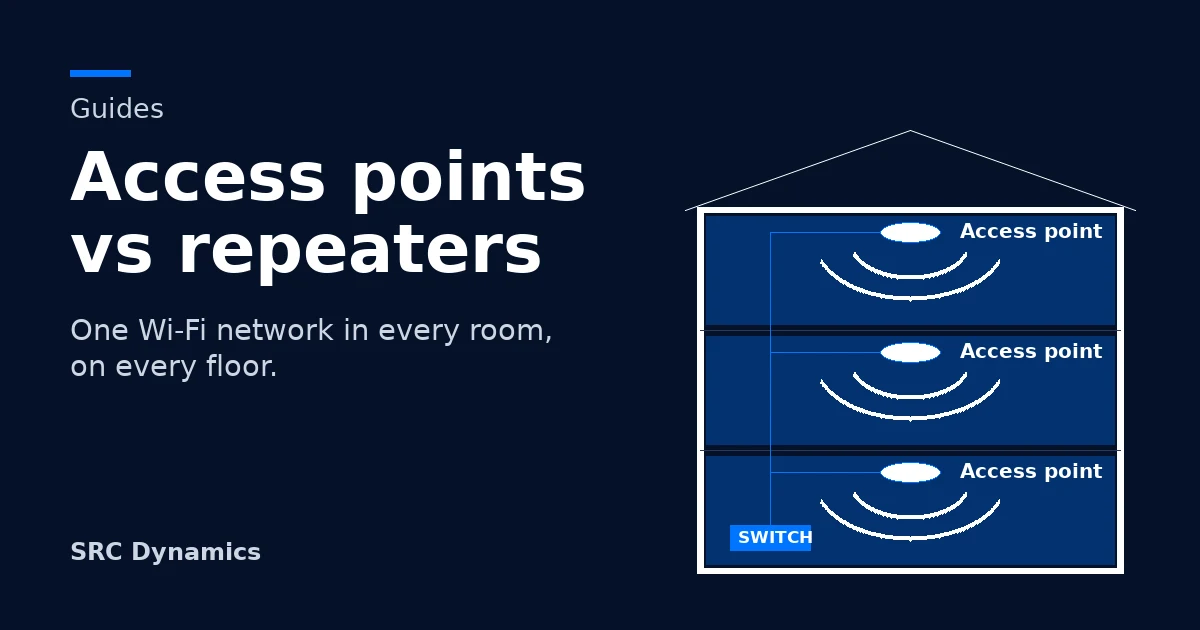
How Wi-Fi really travels through a home
A single router broadcasts from one spot. Every wall, every cabinet and, above all, every concrete floor slab takes a share of the signal. By the far bedroom upstairs, or the end of the garden, very little is left. Switch between the three set-ups below to see access points vs repeaters side by side.
What is a Wi-Fi repeater?
To understand access points vs repeaters, start with the repeater. It sits somewhere between the router and the weak room. It listens to the router's signal and broadcasts it again. Simple and inexpensive, but it comes with three costs:
- It halves your speed. A typical repeater listens and talks on the same radio, so every piece of data travels through the air twice. Behind a repeater, real speed is often half or less.
- It splits your home into separate networks. Most repeaters create a second network name, such as "Home_EXT". Your phone holds on to the weak network long after you walk past the repeater, and you end up switching by hand.
- It can only repeat what it hears. Place it where the signal is already weak and it simply repeats a weak signal further.
What this feels like at home
Two, three, sometimes four network names. A work call that drops when you walk from the office to the kitchen. A TV that buffers only in the evening, when everyone is home. Cameras that go offline for a few minutes each night. It works, most of the time, and "most of the time" is not the experience a premium home should have.
We saw exactly this in our recent customer story, where a family was living with four separate networks in one villa.
What is an access point?
An access point is a wireless transmitter that connects back to the network, ideally by cable. Instead of re-shouting a weak signal, each access point brings the full connection into its own area of the home. That single difference is the heart of the access points vs repeaters question.
All access points share one network name and one password. As you move, the system hands your phone from one access point to the next, so calls and streams carry on without a pause. The whole system is managed from one place, which lets us see every connected device, give priority to work calls, and keep guests and staff on their own isolated networks. You can read more about the underlying technology in this neutral explainer on wireless access points.
Three ways we design with access points
Once the access points vs repeaters choice is made, the right design depends on what the home already has. Cabling, floors, wall materials and the number of connected devices all shape it. We work with three approaches.
Fully wired: the gold standard
A network cable reaches every access point and every fixed device. All cables return to one network cabinet, where a switch powers the access points over the same cable. TVs, the office desk, cameras and the recorder connect by cable too, which leaves the air free for phones, tablets and laptops.
Why we recommend it: full speed in every room, no wireless hops to fail, and cameras and TVs never compete with the family's phones for airtime.
Partially wired: the hybrid
Many homes have cable to some rooms but not all. We place a wired access point on each floor where a cable already exists, then extend coverage to the rest of the home, such as the roof, the far bedrooms or the garden, with mesh access points that link back wirelessly on a dedicated channel.
This is exactly how we turned four networks into one in our home Wi-Fi network customer story, with zero new cable runs.
Why we recommend it: near-wired performance without opening walls, one network name throughout, and every wireless link kept to a single short hop.
Fully wireless mesh: no cables
When the home has no cabling and sits on a single level, mesh access points can link to each other entirely over the air. One unit connects to the internet line and the others relay across the home on a dedicated channel, still under one network name.
When it fits: apartments and single-level homes of around 200 m², and up to 300 m² at most. Beyond that, each additional wireless hop costs speed and stability, and a hybrid design becomes the better choice.
Why multi-storey villas need option 1 or 2
In a multi-storey villa, access points vs repeaters is not a close call. We recommend a fully wired or hybrid design, and keep wireless-only links for the last few metres. Three reasons:
Slabs stop Wi-Fi
Concrete floor slabs are the hardest obstacle Wi-Fi faces. A wireless link between floors loses much of its strength passing through one.
Every hop costs speed
Each wireless relay takes a share of what is left. Stack two or three and the top floor gets the leftovers.
Villas carry more devices
More rooms mean more TVs, cameras, sensors and phones. A cable per floor gives each level its own full-strength source.
When is a repeater good enough?
Access points vs repeaters is not always all or nothing. For a small apartment with one weak corner, or as a temporary fix, a repeater can do the job. Keep your expectations modest, and know the drawbacks before you rely on one:
Network cutting
Moving between the router and the repeater means dropping one network to join another. Calls freeze, downloads restart and video meetings reconnect.
Lost speed
Half the speed, or less, for every device behind the repeater, and it gets worse with distance.
Crashes under load
A repeater is a small device with limited memory. A smart home can easily carry fifty or more connected devices, from lights and sensors to cameras and TVs. Connect too many and the repeater freezes or restarts, taking everything behind it offline. Automations stop, cameras stop recording, and the family wonders why nothing responds.
No visibility
Each repeater works on its own. There is no single view of what is connected, what is slow, or what just dropped.
Access points vs repeaters at a glance
Here is how access points vs repeaters compare, with wireless mesh in between.
| Repeater | Wireless mesh | Wired and hybrid access points | |
|---|---|---|---|
| One network name | Usually not | Yes | Yes |
| Seamless roaming between rooms | No | Yes | Yes |
| Speed in far rooms | Half or less | Drops with each hop | Full speed |
| Busy smart home, 50+ devices | Struggles or crashes | Moderate | Designed for it |
| Multi-storey villa | Not recommended | Not recommended | Recommended |
| Central management | No | Yes | Yes |
| Best for | One weak corner, short term | Single level, up to 300 m² | Villas and larger homes |
Frequently asked questions
Access points vs repeaters: which is better for a smart home?
Access points. A smart home adds dozens of always-connected devices, and access points are built to carry that load on one managed network. Repeaters are not.
Is a mesh system the same as access points?
Mesh is a way of connecting access points to each other. Our designs use access points that can link by cable or wirelessly: cable wherever possible, mesh only where needed.
Can you design a solid network if my home has no cables?
Yes. A network cable in every room is our recommendation, but we also deliver dependable networks in homes without full cabling, using the hybrid or fully wireless designs above.
How many access points does my home need?
It depends on floors, wall materials, room layout and how many devices you connect, not only on the area. We plan it room by room during the consultation.
Why does my repeater keep disconnecting?
Usually for one of three reasons: it sits where the router's signal is already weak, too many devices are connected to it, or your devices are switching between its network and the router's. Access points on one network remove all three.
Wi-Fi that follows you through every room
Still weighing access points vs repeaters? Tell us about your home: how many floors, which rooms are already wired, and what you connect. We will design the network around it, then build the rest of your smart home on top of it.
Talk to a consultant